How to organize your collections
A collection on Numistec isn't a list you fill in by hand — it's defined by criteria (country, period, material) and updates itself automatically as you catalog coins. This guide explains how to create and track your collections.
What a collection is
Instead of picking coins one by one, you define the scope of what you want to collect — for example, "Portuguese escudos, 1900–1950" or "Silver coins of the 1st Republic". Any coin of yours that matches those criteria is automatically included.
You can choose whether a coin needs to match all the criteria (AND) or any of them (OR), depending on what you're organizing.
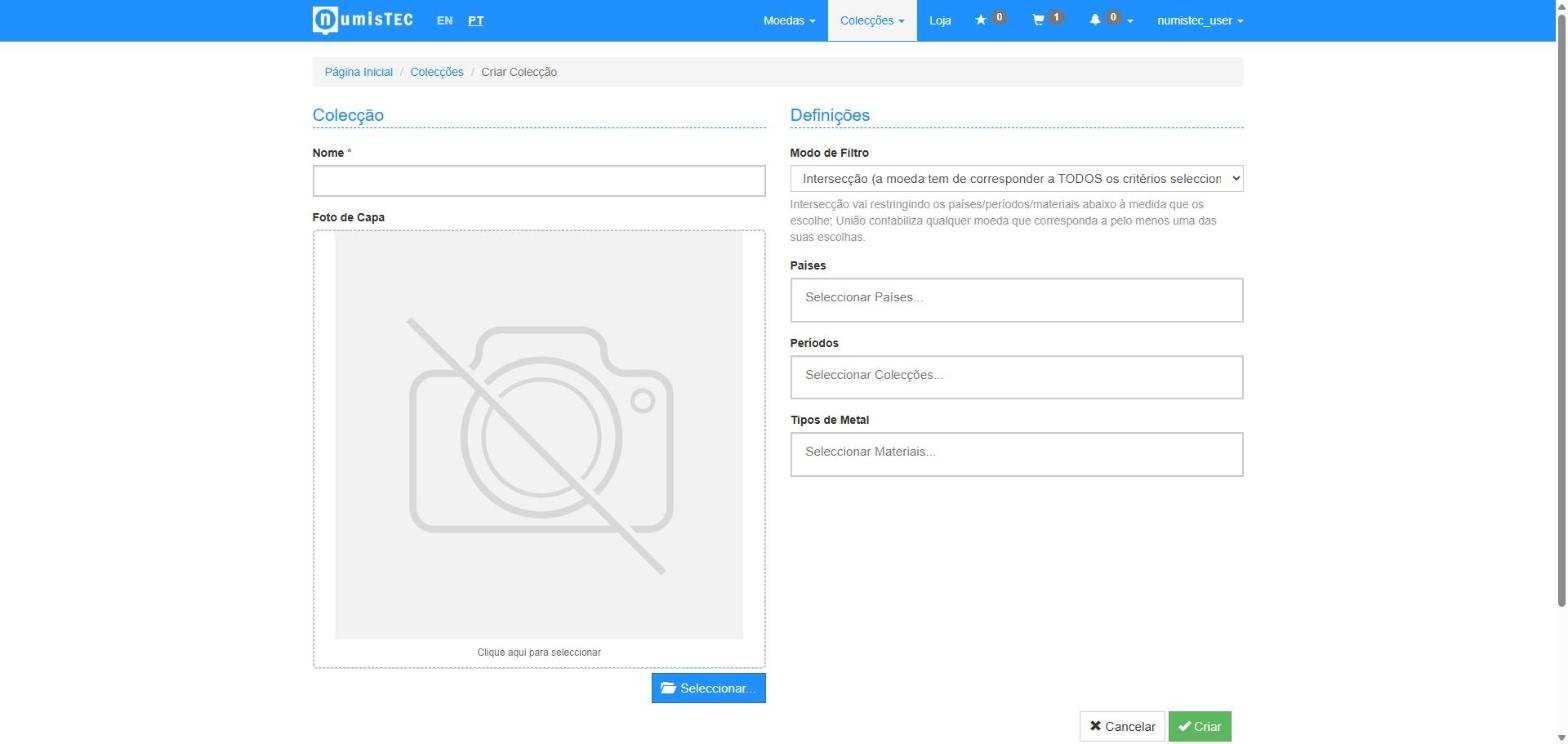
How to create a collection
From the "Collections" menu, choose Add Collection, give it a name, and set the criteria (countries, collections/periods, materials). You can adjust these criteria at any time — the collection recalculates itself.
Tracking progress
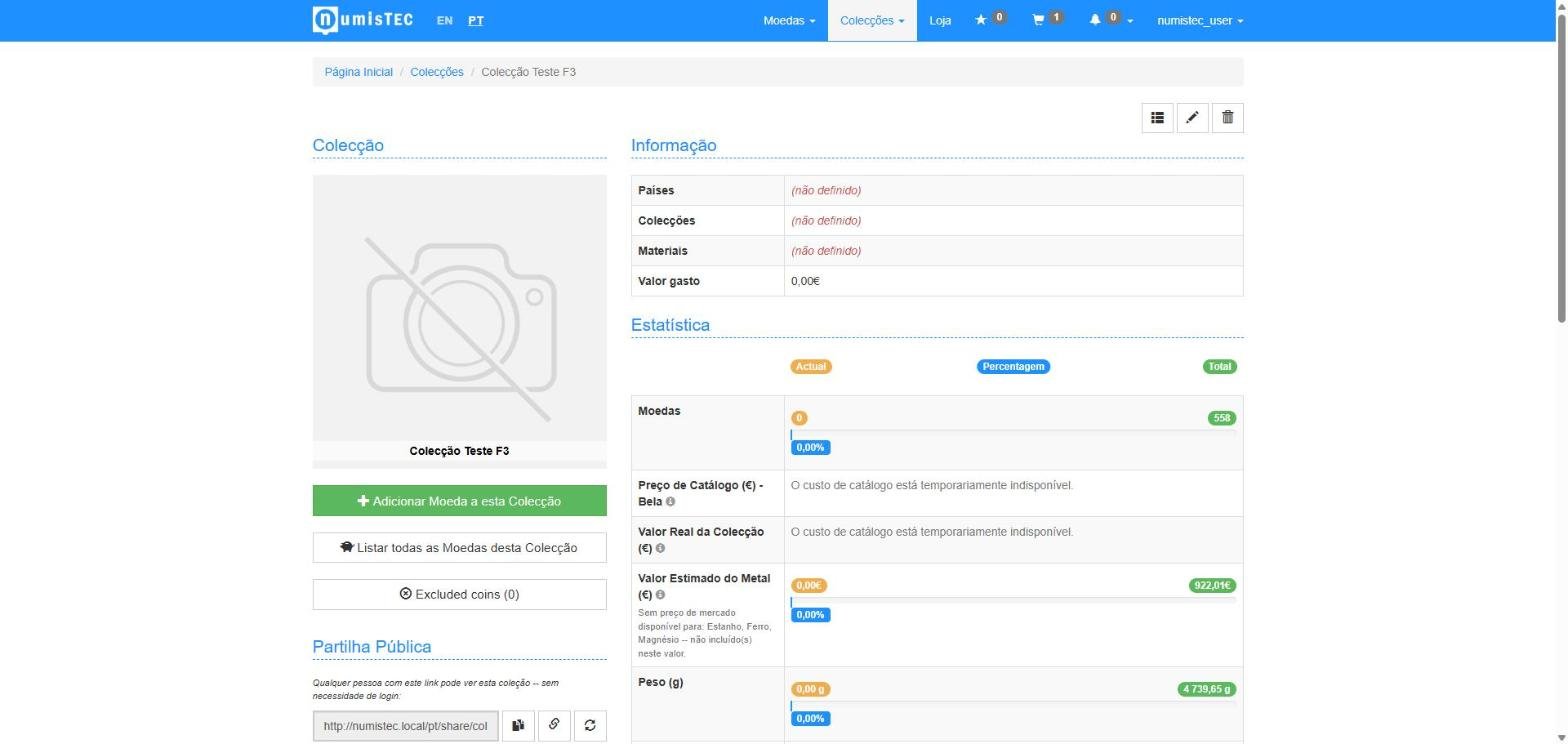
Each collection's page shows real-time statistics: how many coins you already own out of the total possible, total weight by material, and two different valuations — at the reference catalog price, and at the real price for your actual grade (falling back to the closest graded price when the exact one isn't available).
The "Album" view
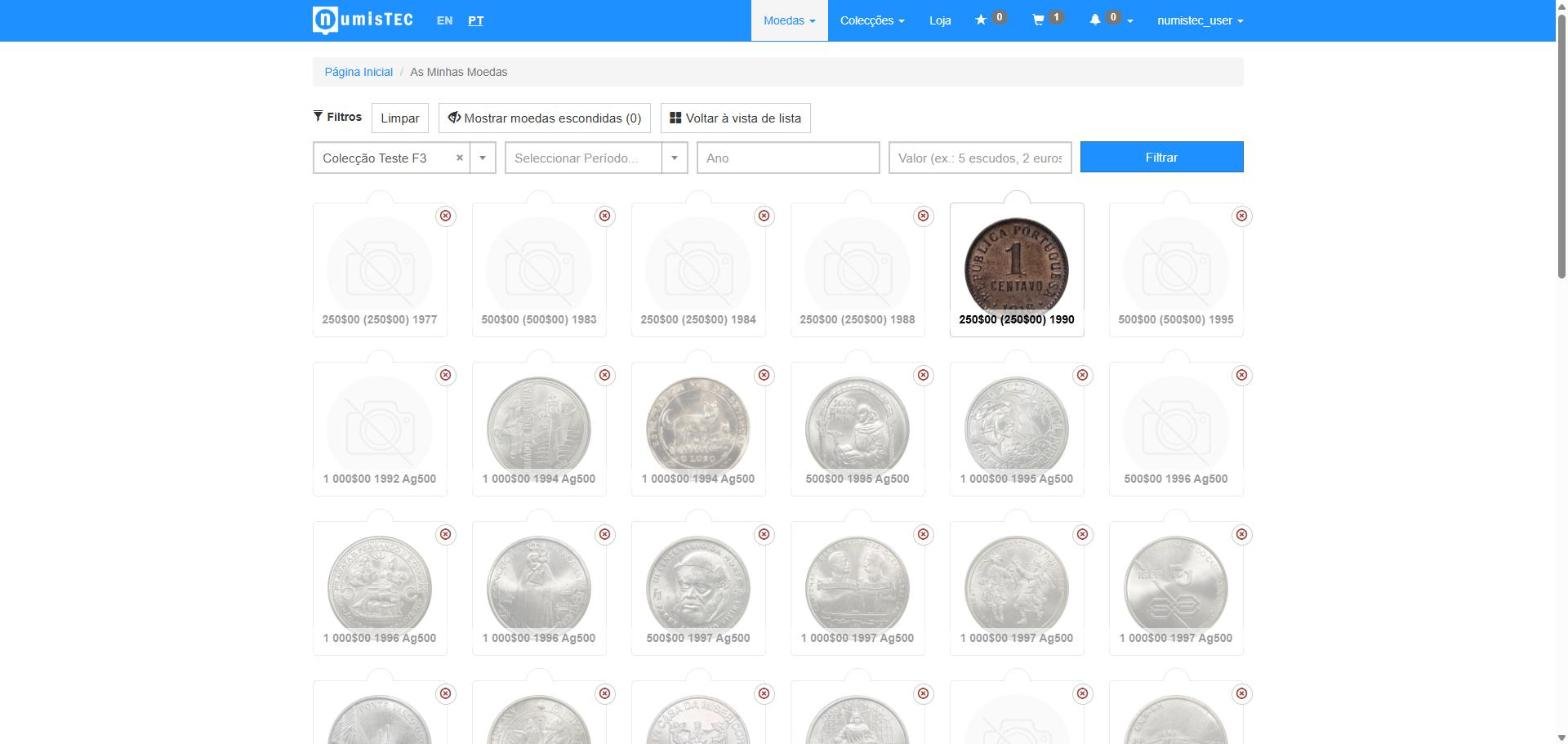
Besides the regular list, you can view a collection in Album mode — like a sticker album: coins you already own show your own photo, missing ones get an "for sale" badge whenever they're currently available in the shop, with a direct shortcut to buy. Available on the Basic and Pro plans.
Missing coins for sale
Even outside the Album view, a collection's page already flags which of your missing coins are for sale in the shop right now — no need to go check one by one.
Next step: How to catalog your coins, or see How to buy in the shop for the pieces you're missing.
Still have questions? FAQ